VantaFocus 2.0: Live Activities, synced profiles, and a better start
7/30/2026
VantaFocus started as a simple idea: block distracting apps with a physical ritual. Version 2.0 is about making that ritual work when life spans more than one phone — work phone, personal phone, a new device after an upgrade — without shipping your Screen Time selections to the cloud.
Here’s everything that’s new in 2.0.
1. Profiles that sync - apps that don’t
You can now sign into the same account on another iPhone and see your focus profiles: names, trigger type (NFC or timer), default duration, and appearance.
Blocked apps and categories stay on-device. Apple’s Family Controls tokens are device-bound and sensitive — so we never upload them. On a new phone, synced profiles show a clear “Setup required” state until you pick apps and categories once. Until then, they can’t start a session.
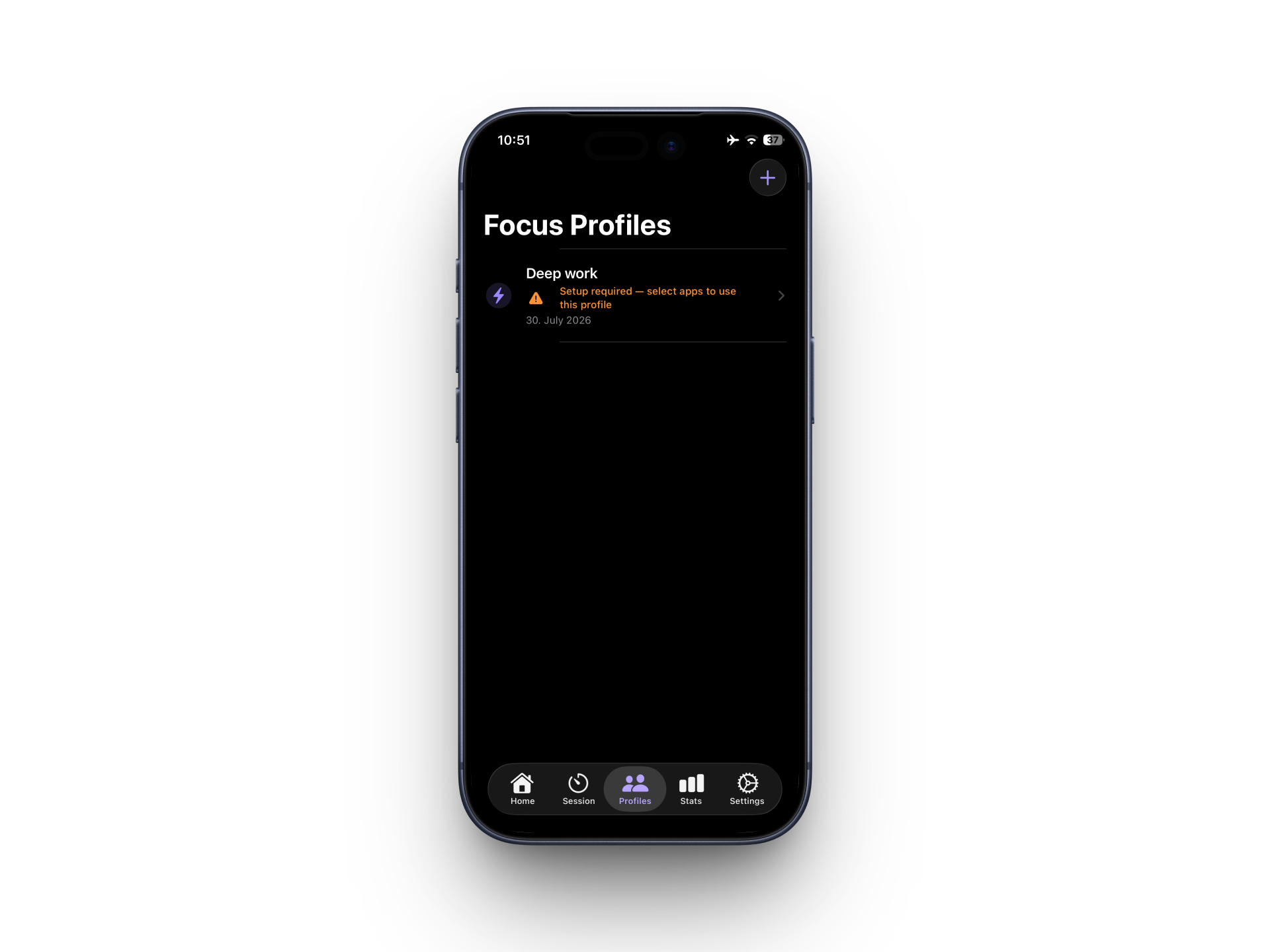
That’s intentional: privacy over convenience.
2. Live Activities
Timer and NFC sessions can now surface on the Lock Screen and Dynamic Island. Remaining time - or the fact that you’re in an active focus session - stays visible without unlocking your phone.
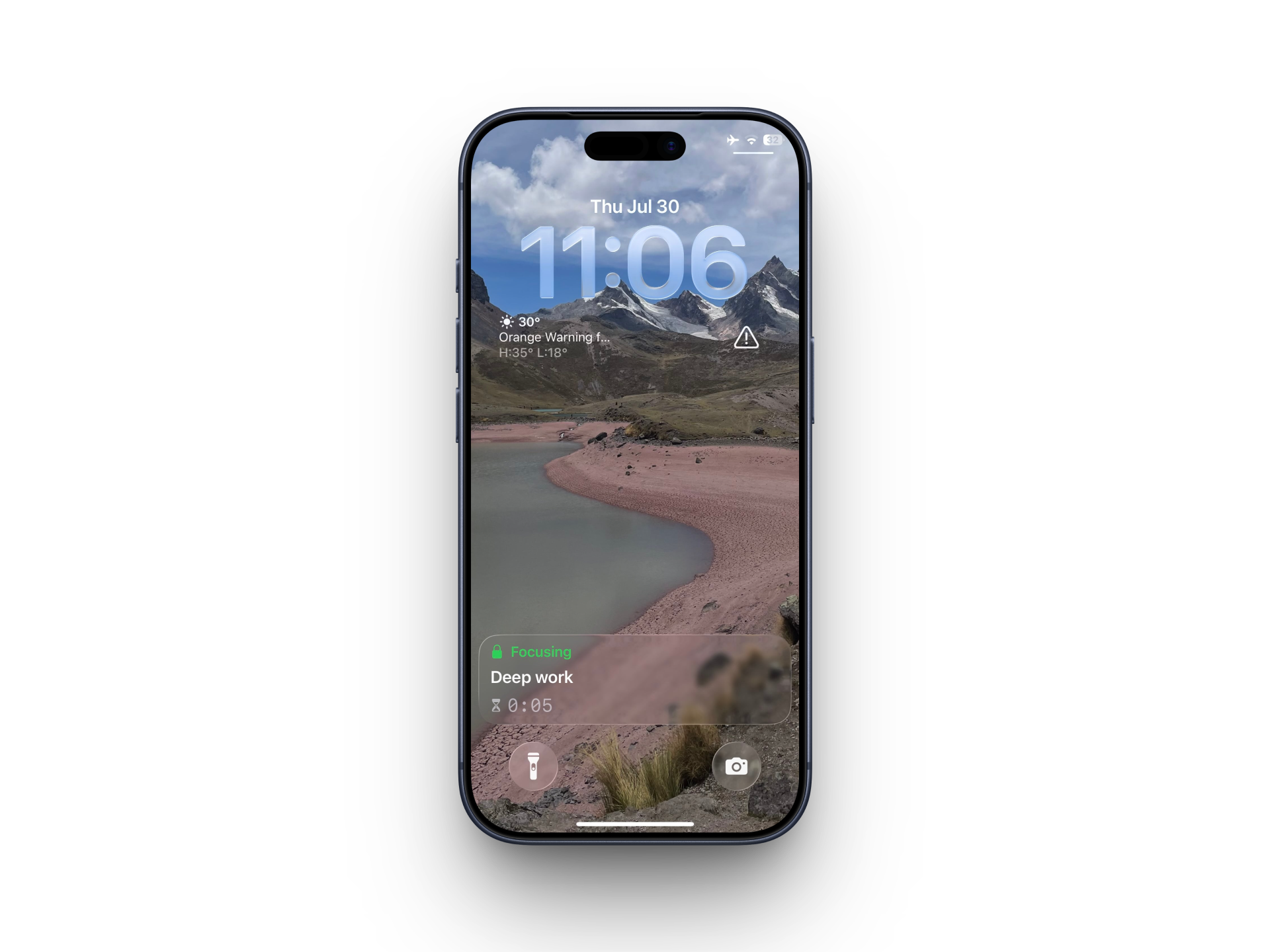
Less checking the app. More staying in the session.
3. Account & onboarding
Sign in with Apple, or with email and a one-time code. Onboarding and tracking were tightened so new users reach a first successful focus session faster.
The default first-session length is now 2 minutes — enough to feel blocking, not enough to abandon.
4. Sessions across devices
If a focus session is still “running” on the server but not on the phone in your hand — crash, dead battery, switched devices — Home and Session can detect it and let you stop it safely.
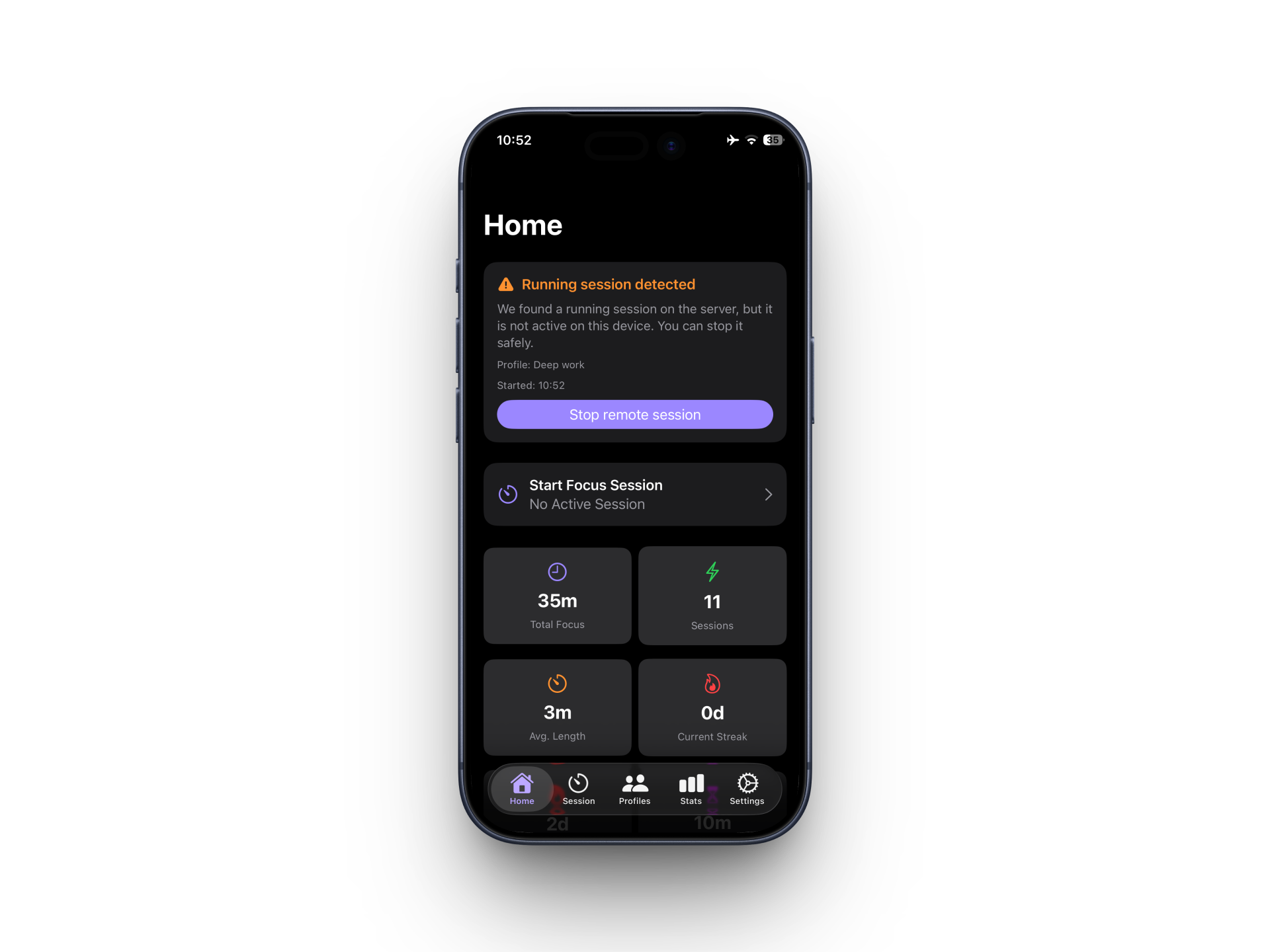
No more ghost sessions locking you out of a clean start.
5. How setup works on a new phone
- Install VantaFocus and sign in with the same Apple ID or email account.
- Your profiles appear automatically - names, icons, timers, and trigger types included.
- Each profile shows Setup required until you choose which apps and categories to block on this device.
- Set them up once. After that, the same focus ritual works on every phone you use.
Your blocked app list never leaves either device. Only profile metadata syncs.
6. Polish that compounds
- Refreshed app icon
- Cleaner profile and tag editing (single navigation stack)
- Timer profile picker anchored to the start button
- More reliable remote session IDs for long-running sessions
- Profile delete that stays deleted across sync — no “zombie” profiles
Privacy
VantaFocus syncs profile metadata only: name, icon, color, trigger, and default duration.
Blocked app and category selections never leave the device. Cross-device website blocklists (when enabled) still use encrypted payloads, handled separately from profile metadata.
Update to 2.0, sign in on your second device, set up each profile once, and keep the same focus ritual everywhere.
Thank you for focusing with VantaFocus.